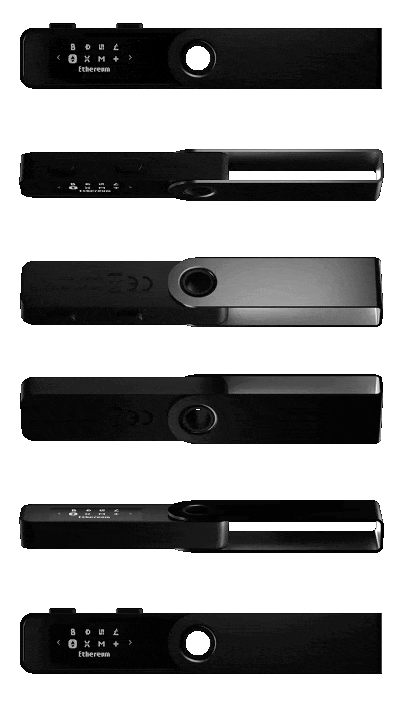
Here's a complete guide to using the Ledger Nano S Plus, a hardware wallet specifically designed to store and secure your cryptocurrencies.
What is the Ledger Nano S Plus?
A Ledger wallet is a hardware wallet that allows you to securely store cryptocurrencies . It is a physical device, similar in size to a USB flash drive, that can be connected to a computer or phone to securely interact with your cryptocurrencies.A Ledger wallet uses its own operating system and provides a secure way to store its private keys , which are used to manage its holder's cryptocurrencies. This additional layer of security helps protect the user's funds from theft or loss due to hacks or other types of online attacks.
These wallets are manufactured by the French company Ledger. Founded in 2014 by eight experts in security, cryptography, and cryptocurrencies, Ledger is now the leader in its sector and has already sold more than 5 million wallets worldwide .
The company offers two products: the Ledger Nano S Plus (which will be discussed in this article) and the Ledger Nano X. More affordable than the Ledger Nano X (€149), the Ledger Nano S Plus ($79) is the ideal product if you want to effectively protect your cryptocurrencies.
In addition to these crypto wallets, Ledger also offers a range of other cryptocurrency-related products and services for individuals and businesses, including through a comprehensive application, Ledger Live .
Setting up and using a Ledger Nano S Plus wallet is accessible to even beginners, but in this article we will explain how to do it step by step.
For security reasons, however, we suggest that you order your Ledger wallet from the manufacturer's official website .
While the merchants mentioned above are all licensed by Ledger, it's always best to avoid middlemen and purchase your Ledger wallet from the company's store . We can never be too careful with the security of our cryptocurrencies
Now you have your Ledger Nano S Plus wallet? Let's get down to business: setting it up!
How to configure your Ledger Nano S Plus?
Security warning
Before you begin setting up your Ledger wallet, there are a few precautions you should take. Be aware that a new Ledger wallet must always be initialized by following these steps : turning on the device, generating a PIN code, and then entering the 24-word recovery phrase.If you turn on your Ledger and it already has a recovery phrase or PIN set, DO NOT USE IT. This could mean someone has already accessed that wallet.
Please note that a Ledger wallet will never come with a default PIN or recovery phrase. If your wallet does not respond to the default initialization steps, contact Ledger support.
Now that you've made sure your Ledger hasn't been used before, let's take a look at how to set it up.
The 3 steps to setting up your Ledger wallet
To get started, make sure you download and install the Ledger Live app , which is available on all devices compatible with the Ledger Nano S Plus, namely Windows, macOS, Linux Ubuntu 16.10 or a smartphone with at least Android 8.1.With the Ledger Live app, you can set up your wallet interactively. To get started, simply open the app on your device and click " Get Started ." The app will guide you through initializing your wallet; here are the steps to follow.
1: Configure a new Ledger wallet
Connect the Ledger Nano S Plus to your device (computer, Android phone) using the included USB-C cable.The Ledger walllet should display the following: " Welcome to Ledger Nano S Plus. Press right button to continue ."
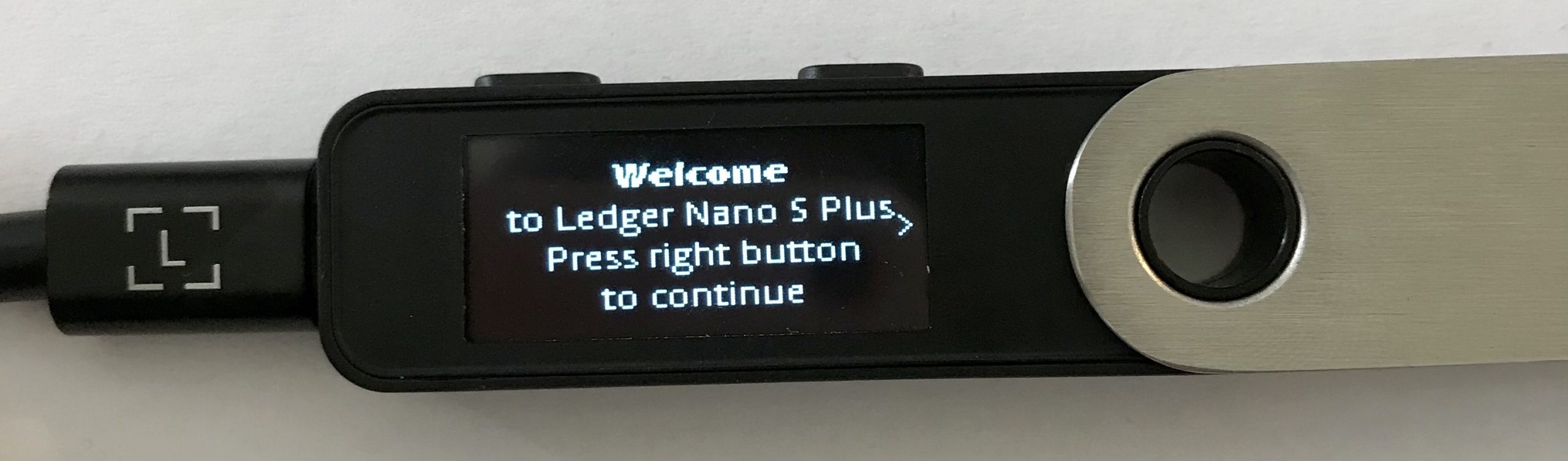
Press the right button to continue, then to navigate through the on-screen instructions, then once on the " Set up a new device " option, press the 2 buttons on the wallet simultaneously. This is the basic command to " Validate " an action on your wallet.
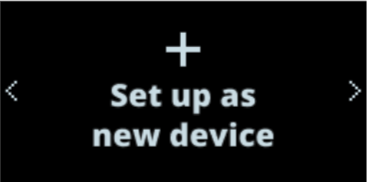
Press the right button to continue, then to navigate through the on-screen instructions, then once on the " Set up a new device " option, press the 2 buttons on the wallet simultaneously. This is the basic command to " Validate " an action on your wallet.
2: Choose a PIN code
You now need to choose a PIN for your Ledger Nano S plus wallet. Press both wallet buttons simultaneously on the " Choose PIN with 4 to 8 digits " screen to begin: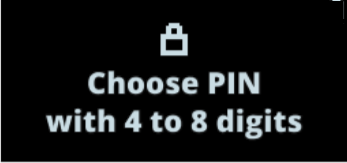
Here are the steps to follow to set your PIN code:
Press the right or left button to choose the first digit of your PIN code;
Then press both buttons to validate a number;
Repeat the same process until you have entered 4 to 8 digits;
Select the backspace icon ◀️ if you want to delete a number;
To maximize the security of your wallet, we suggest you enter 8 digits for your PIN code ;
Select the ✅ icon and press both buttons to confirm the PIN code;
Finally, confirm your PIN by entering it again.
3: Write down your recovery phrase carefully
On the next screen, your wallet will say " Write down your Recovery phrase ." This will only appear once, so make sure you write down the words it contains .
This recovery passphrase is your only way to recover your cryptocurrency if you lose or damage your wallet, or if you forget your PIN.
Make sure you correctly copy each word onto one of the recovery sheets provided by Ledger in your wallet box. Never make a digital copy. Beware: anyone who has access to your recovery phrase can steal your cryptocurrencies.
Keep the recovery sheet in a safe place. Never share it with anyone and know that Ledger will never ask you for it .
Once these precautions have been taken, take a blank recovery sheet provided in the box of your Nano S Plus and then follow these steps:
- Press both buttons to start displaying the recovery phrase;
- Press the right button to navigate through the on-screen instructions. Then press both buttons to continue;
- Write down the first word (Write word #1) on the recovery sheet. Check that you have copied it correctly in position 1. Word order is important!
- Press the right mouse button to move to the second word (Write word #2). Write it in position 2 on the recovery sheet;
- Repeat the process up to the 24th word, always checking each time that the word is correctly written on your recovery sheet;
- (Optional), you can check your 24 words by pressing the left button;
- Once this step is completed, press both buttons to confirm entering your recovery phrase;
- Select the requested word by navigating with the left or right button. Validate the word by pressing both buttons. Repeat this step for each requested word;
- If you have entered your recovery phrase correctly, your Nano S Plus will display the message “ Your Recovery phrase is set. Keep it in a secure place ”;
- Press the right button to navigate through the on-screen instructions. Then press both buttons to continue;
- Your device will display “ Processing ” and then “ Your device is now ready” once you have successfully completed the setup process;
- Congratulations! You have successfully set up your Ledger Nano S Plus wallet . You can now install apps on your wallet and add accounts from the Ledger Live app.
Connecting your wallet to Ledger Live
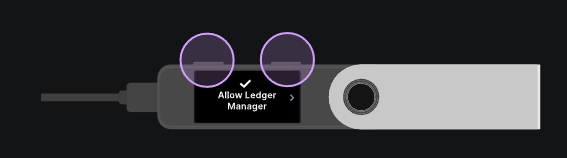
After setting up your Ledger Nano S Plus, you can interact with the Ledger Live app . After a simple quiz to ensure your knowledge of the device, the app will verify the authenticity of your Ledger wallet.Click on " Verify my Nano " to begin the verification, then authorize Ledger Manager on your wallet by pressing the 2 buttons:
Otherwise, Ledger Live will provide you with steps to contact their support.
Once on the app, you will be able to add accounts for the cryptocurrencies of your choice, and also take advantage of all the other features of Ledger Live , such as the ability to buy cryptocurrencies or interact with decentralized finance (DeFi) protocols.
Otherwise, Ledger Live will provide you with steps to contact their support.
Once on the app, you will be able to add accounts for the cryptocurrencies of your choice, and also take advantage of all the other features of Ledger Live , such as the ability to buy cryptocurrencies or interact with decentralized finance (DeFi) protocols.
Pros and Cons of the Ledger Nano S Plus
Ledger Nano S Plus Benefits
- Affordable price of €79
- Very easy to use
- Maximum security for your cryptocurrencies
- Ledger Live application ideal for navigating Web3
Ledger Nano S Plus Disadvantages
- No Bluetooth compatibility
- Works only with cable
- No iOS compatibility
- Quite small screen
Our opinion on the Ledger Nano S Plus wallet
Undeniably, Ledger offers with the Nano S Plus a quality wallet to navigate safely in the world of cryptocurrencies and Web3 . Beyond protecting your crypto-assets, this wallet coupled with its Ledger Live application is today one of the most complete solutions on the market.In addition to its affordable price ($79), the Ledger Nano S Plus is very easy to use and will suit even beginners. The French company offers here a truly essential product to ensure the security of your cryptocurrencies .
Even if the amount of cryptocurrency in your possession is not huge, you must take precautions to protect it from various attack vectors: platform hacks, company bankruptcy, phishing, etc.
The Ledger Nano S Plus is for you if the lack of iOS compatibility doesn't bother you. Also note that if you use a MetaMask wallet, you can pair your Ledger wallet with it to add an extra layer of security to your transactions. This prevents a third party from interacting with your funds if you unfortunately lose control of them (hack, phishing, etc.).